YubiKey
2 min read
YubiKey is a versatile hardware security key developed by Yubico that provides strong two-factor authentication (2FA) and supports various authentication protocols. This small, USB-based device offers a secure and convenient way to enhance the security of your online accounts and digital assets.
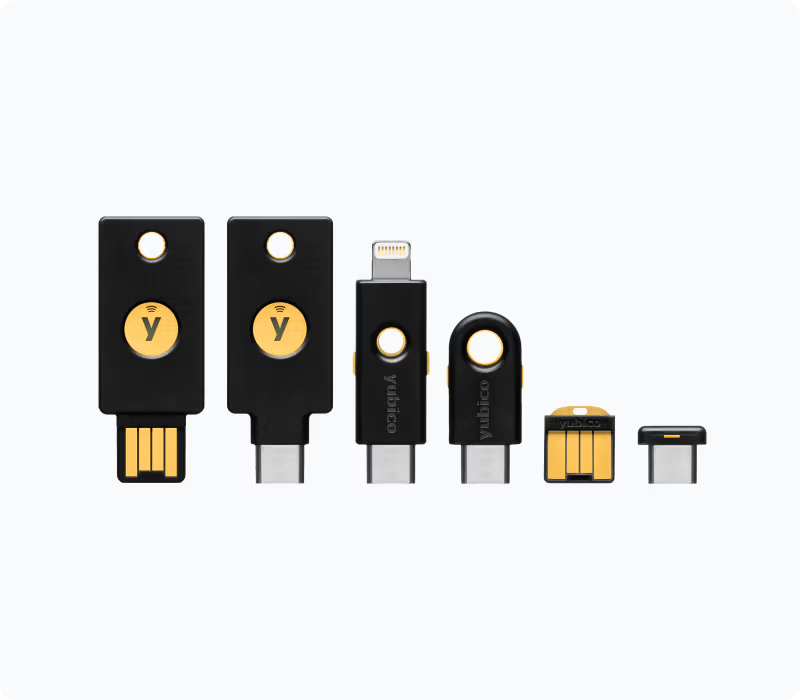
Features
1. Two-Factor Authentication (2FA):
• YubiKey supports one-time password (OTP) generation, adding an extra layer of security to your accounts by requiring something you know (password) and something you have (YubiKey).
2. Universal Second Factor (U2F):
• YubiKey implements the U2F standard, allowing it to be used as a hardware token for two-factor authentication with websites and services that support U2F.
3. OpenPGP and Smart Card Support:
• YubiKey can be configured to act as an OpenPGP smart card, enabling secure email communication and digital signatures.
4. FIDO2 and WebAuthn:
• YubiKey supports FIDO2 and WebAuthn standards, providing passwordless authentication for a growing number of online services and platforms.
5. NFC (Near Field Communication):
• Some YubiKey models include NFC support, allowing for easy authentication with mobile devices by tapping the YubiKey.
Getting Started
1. Registering YubiKey:
• To use YubiKey with supported services, you typically need to register it. Follow the service-specific instructions to associate your YubiKey with your account.
2. Configuration and Personalization:
• Use the YubiKey Personalization Tool to configure and personalize your YubiKey. This includes setting up static or dynamic passwords and enabling or disabling specific features.
3. Using YubiKey:
• When prompted for authentication, insert your YubiKey into a USB port or tap it on an NFC-enabled device. The YubiKey generates or validates the required authentication codes.
Security Considerations
1. Physical Security:
• Keep your YubiKey physically secure. Treat it like a key to your accounts and store it in a safe place.
2. Backup Options:
• Consider having backup authentication methods in case you lose your YubiKey.
3. Firmware Updates:
• Regularly check for firmware updates and apply them to ensure your YubiKey has the latest security enhancements.
4. Service Compatibility:
• Ensure that the online services you use support YubiKey and the desired authentication standard.