Wireshark
2 min read
Wireshark is a powerful open-source network protocol analyzer that allows you to capture and interactively browse the traffic running on a computer network. It provides a detailed view of network communication, helping users analyze and troubleshoot various network issues.
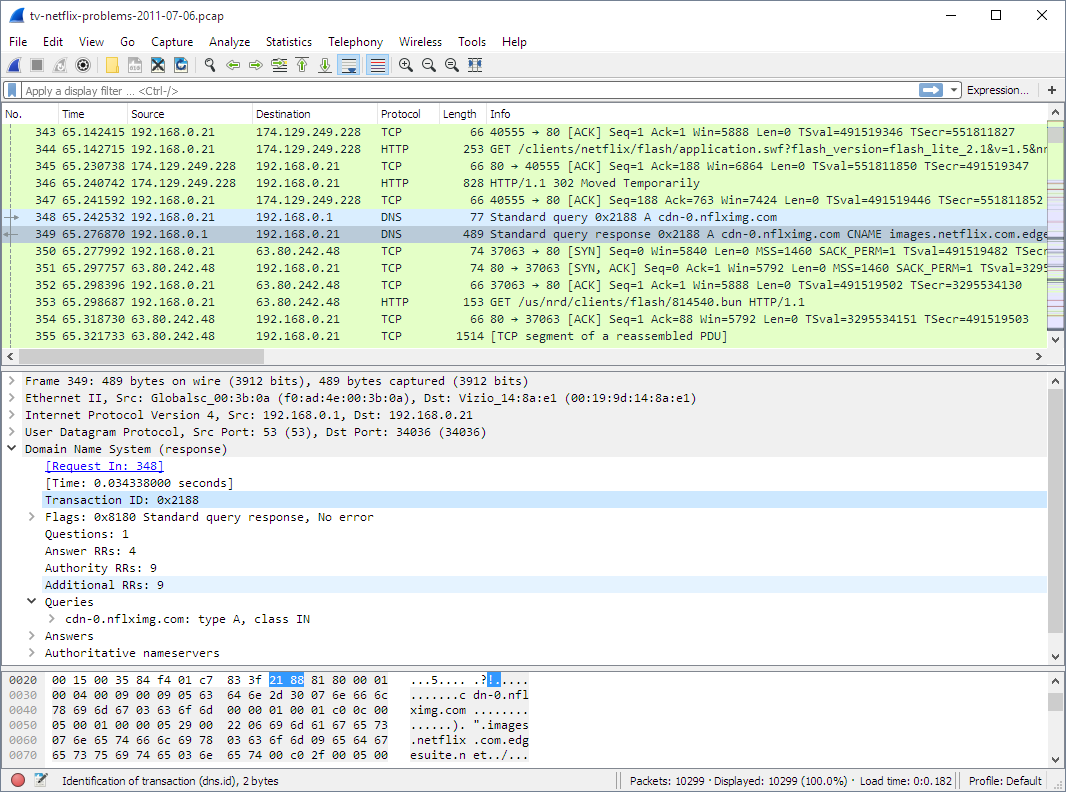
Features
• Packet Capture: Wireshark captures data packets traveling through a network, including their headers and contents.
• Wide Protocol Support: Supports a vast array of network protocols, enabling the analysis of various communication types such as TCP, UDP, HTTP, DNS, and more.
• Live Capture and Offline Analysis: Allows real-time packet capture for live network traffic analysis. Additionally, it can analyze saved capture files for offline inspection.
• Filtering Capabilities: Powerful display filters help focus on specific packets, making it easier to pinpoint issues or analyze specific types of traffic.
• Colorization and Packet Marking: Color-coded packet display and marking aid in visually identifying different types of packets and potential issues.
• Protocol Hierarchy: Displays a hierarchical view of protocols used in a captured session, helping users understand the layers of communication.
• Statistics and Conversations: Provides various statistics, including traffic summaries, protocol distribution, and conversations, giving insights into network behavior.
• Export Options: Supports exporting captured data in various formats for further analysis or sharing, such as CSV, XML, or plain text.
• Display and Capture Filters: Allows the application of filters to limit the displayed packets or control which packets are captured, streamlining the analysis process.