WezTerm
4 min read
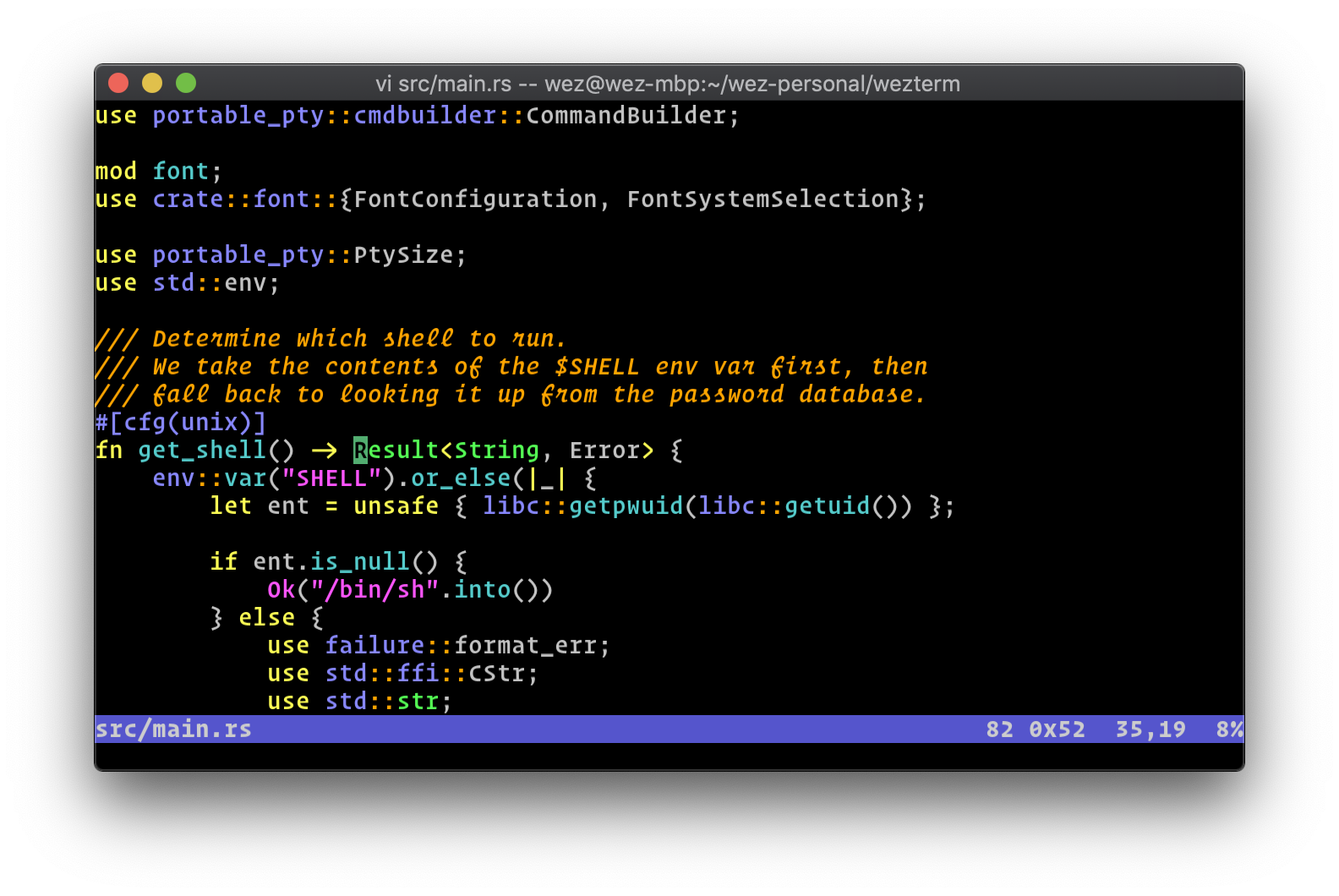
GPU-accelerated cross-platform terminal emulator and multiplexer written in Rust. Configured in Lua with built-in SSH client, tab/pane management, and image protocol support.
Configuration
Config is a Lua script that returns a table. WezTerm auto-reloads on file change; force reload with Ctrl+Shift+R.
File Locations (priority order)
1. --config-file CLI arg
2. $WEZTERM_CONFIG_FILE
3. $XDG_CONFIG_HOME/wezterm/wezterm.lua
4. $HOME/.config/wezterm/wezterm.lua
5. $HOME/.wezterm.lua
Basic Structure
lua
local wezterm = require 'wezterm'
local config = wezterm.config_builder()
config.font_size = 13
config.color_scheme = 'Catppuccin Mocha'
config.initial_cols = 120
config.initial_rows = 32
return config
Modular Config
Split into multiple files under ~/.config/wezterm/ and import with Lua require().
Per-Window Overrides
lua
window:set_config_overrides({ font_size = 16 })
CLI Overrides
wezterm --config enable_scroll_bar=true
wezterm --config 'exit_behavior="Hold"'
Config using Nix
Home Manager module (programs.wezterm) with declarative settings (available from home.stateVersion = "26.05"):
nix
programs.wezterm = {
enable = true;
# declarative settings (serialized to Lua automatically)
settings = {
font_size = 13;
color_scheme = "Catppuccin Mocha";
};
# raw Lua for expressions wezterm.font, wezterm.action, etc.
extraConfig = ''
local wezterm = require 'wezterm'
local config = wezterm.config_builder()
config.font = wezterm.font 'JetBrains Mono'
return config
'';
};
Default Keybindings
Clipboard
| Key | Action |
|---|---|
Ctrl+Shift+C / Super+C | Copy to clipboard |
Ctrl+Shift+V / Super+V | Paste from clipboard |
Ctrl+Insert | Copy to primary selection |
Shift+Insert | Paste from primary selection |
Tabs
| Key | Action |
|---|---|
Ctrl+Shift+T / Super+T | New tab |
Ctrl+Shift+W / Super+W | Close tab |
Ctrl+Tab | Next tab |
Ctrl+Shift+Tab | Previous tab |
Ctrl+Shift+1-9 / Super+1-9 | Activate tab by number |
Ctrl+Shift+PageUp/Down | Move tab left/right |
Panes
| Key | Action |
|---|---|
Ctrl+Shift+Alt+" | Split vertically |
Ctrl+Shift+Alt+% | Split horizontally |
Ctrl+Shift+Arrows | Navigate panes |
Ctrl+Shift+Alt+Arrows | Resize pane |
Ctrl+Shift+Z | Toggle pane zoom |
Font & Display
| Key | Action |
|---|---|
Ctrl+- / Super+- | Decrease font size |
Ctrl+= / Super+= | Increase font size |
Ctrl+0 / Super+0 | Reset font size |
Alt+Enter | Toggle fullscreen |
Utility
| Key | Action |
|---|---|
Ctrl+Shift+X | Activate Copy Mode |
Ctrl+Shift+Space | Quick Select |
Ctrl+Shift+F / Super+F | Search |
Ctrl+Shift+U | Character selector |
Ctrl+Shift+P | Command palette |
Ctrl+Shift+L | Debug overlay |
Ctrl+Shift+R / Super+R | Reload config |
Ctrl+Shift+K / Super+K | Clear scrollback |
Features
Copy Mode
Vim-style keyboard text selection over scrollback. Activate with Ctrl+Shift+X.
| Key | Action |
|---|---|
hjkl / arrows | Move cursor |
w / b | Forward/backward word |
0 / $ | Line start/end |
g / G | Scrollback top/bottom |
Ctrl+U / Ctrl+D | Half-screen scroll |
v | Cell selection |
V | Line selection |
Ctrl+V | Block/rectangular selection |
y | Copy and exit |
o | Swap selection endpoints |
Esc / q | Exit without copy |
Customize via the copy_mode key table. View current bindings:
wezterm show-keys --lua --key-table copy_mode
Quick Select
Rapidly highlight and copy text matching common patterns (URLs, file paths, git hashes, IPs). Activate with Ctrl+Shift+Space.
• Type the displayed prefix to copy the match to clipboard
• Type the uppercase prefix to copy and immediately paste
• Esc to cancel
Configure with quick_select_patterns (custom regexes) and quick_select_alphabet.
Hyperlinks
Implicit — regex rules applied to terminal output. Extend defaults:
lua
config.hyperlink_rules = wezterm.default_hyperlink_rules()
-- add custom rule: make "T123" clickable
table.insert(config.hyperlink_rules, {
regex = '\\bT(\\d+)\\b',
format = 'https://example.com/task/$1',
})
Explicit — applications embed URLs via OSC 8 escape sequences:
\e]8;;URL\e\\TEXT\e]8;;\e\\
Open links with Ctrl+Click.
Multiplexer
Built-in multiplexer organized around domains (sets of windows/tabs).
Domain types:
• Local — default, UI-managed tabs and panes
• SSH Domain — remote WezTerm multiplexer over SSH (requires WezTerm on remote)
• Unix Domain — local socket connection (also works via WSL on Windows)
• TLS Domain — encrypted TCP, bootstrapped via SSH then certificate-based
SSH domains can auto-populate from ~/.ssh/config.
lua
config.ssh_domains = wezterm.default_ssh_domains()
CLI
wezterm cli <subcommand>
Targets a running WezTerm instance via env vars or process detection.
| Subcommand | Description |
|---|---|
list | List tabs, panes, windows |
spawn | Launch program in new tab/pane |
split-pane | Split a pane |
activate-tab | Switch to a tab |
activate-pane | Focus a pane |
activate-pane-direction | Focus pane by direction |
get-pane-direction | Query pane in a direction |
adjust-pane-size | Resize a pane |
zoom-pane | Zoom pane to fill window |
kill-pane | Close a pane |
move-pane-to-new-tab | Move pane to new tab |
send-text | Send text input to a pane |
get-text | Extract text from a pane |
set-tab-title | Rename a tab |
set-window-title | Rename a window |
rename-workspace | Rename a workspace |
list-clients | Show connected clients |
Record & Replay
Capture terminal sessions in asciicast format:
bash
wezterm record -o session.cast # record to file
wezterm record -- bash # record specific program
wezterm replay session.cast # replay recording
Serial Port
Connect to a serial port directly:
bash
wezterm serial /dev/ttyUSB0
See: https://wezterm.org/serial.html
Lua API
lua
local wezterm = require 'wezterm'
wezterm.config_dir() -- config directory path
wezterm.config_file() -- active config file path
wezterm.home_dir() -- user home directory
wezterm.hostname() -- system hostname
wezterm.version() -- WezTerm version
wezterm.font('JetBrains Mono') -- font reference
wezterm.font_with_fallback(...) -- font with fallbacks
wezterm.default_hyperlink_rules() -- default hyperlink rules
wezterm.default_ssh_domains() -- SSH domains from ~/.ssh/config
wezterm.on('event-name', fn) -- register event callback
wezterm.emit('event-name', ...) -- trigger event
wezterm.run_child_process(args) -- run command, return output
wezterm.background_child_process(args)
wezterm.glob('~/.config/**/*.lua') -- file glob matching
wezterm.add_to_config_reload_watch_list(path)
wezterm.json_encode(val)
wezterm.json_parse(str)