dufs
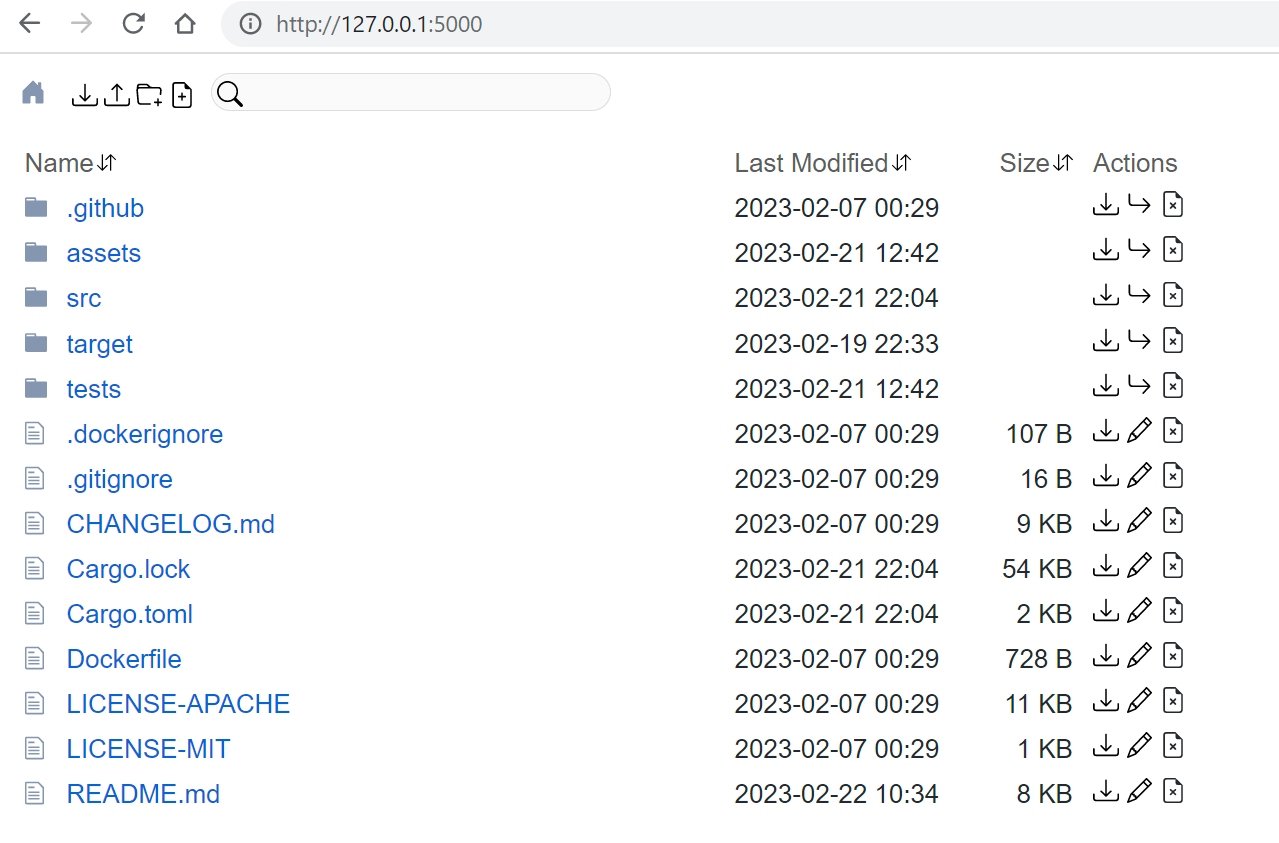
Dufs is a distinctive utility file server that supports static serving, uploading, searching, accessing control, webdav.
Features
- Serve static files
- Download folder as zip file
- Upload files and folders (Drag & Drop)
- Create/Edit/Search files
- Partial responses (Parallel/Resume download)
- Access control
- Support https
- Support webdav
- Easy to use with curl
Usage
Usage: dufs [OPTIONS] [serve-path]
Options
| Option | Description |
|---|---|
-c, --config <config> | Specify configuration file |
-b, --bind <addrs> | Specify bind address or unix socket |
-p, --port <port> | Specify port to listen on [default: 5000] |
--path-prefix <path> | Specify a path prefix |
--hidden <value> | Hide paths from directory listings, e.g. tmp,*.log,*.lock |
-a, --auth <rules> | Add auth roles, e.g. user:pass@/dir1:rw,/dir2 |
-A, --allow-all | Allow all operations |
--allow-upload | Allow upload files/folders |
--allow-delete | Allow delete files/folders |
--allow-search | Allow search files/folders |
--allow-symlink | Allow symlink to files/folders outside root directory |
--allow-archive | Allow zip archive generation |
--enable-cors | Enable CORS, sets Access-Control-Allow-Origin: * |
--render-index | Serve index.html when requesting a directory, returns 404 if not found index.html |
--render-try-index | Serve index.html when requesting a directory, returns directory listing if not found index.html |
--assets <path> | Set the path to the assets directory for overriding the built-in assets |
--log-format <format> | Customize http log format |
--tls-cert <path> | Path to an SSL/TLS certificate to serve with HTTPS |
--tls-key <path> | Path to the SSL/TLS certificate’s private key |
Access Control
Dufs supports account based access control. You can control who can do what on which path with --auth/-a.
dufs -a user:pass@/path1:rw,/path2 -a user2:pass2@/path3 -a @/path4
- Use
@to separate the account and paths. No account means anonymous user. - Use
:to separate the username and password of the account. - Use
,to separate paths. - Use
:rwsuffix to indicate that the account has read-write permission on the path.
Examples:
-a admin:amdin@/:rw:adminhas complete permissions for all paths.-a guest:guest@/:guesthas read-only permissions for all paths.-a user:pass@/dir1:rw,/dir2:userhas complete permissions for/dir1/*, has read-only permissions for/dir2/.-a @/: All paths is publicly accessible, everyone can view/download it.
Hide Paths
Dufs supports hiding paths from directory listings via option --hidden <glob>,....
dufs --hidden .git,.DS_Store,tmp
The glob used in —hidden only matches file and directory names, not paths. So
--hidden dir1/fileis invalid.
dufs --hidden '.*'                          # hidden dotfiles
dufs --hidden '*/'                          # hidden all folders
dufs --hidden '*.log,*.lock'                # hidden by exts
dufs --hidden '*.log' --hidden '*.lock'
Log Format
Dufs supports customize http log format with option --log-format.
The log format can use following variables.
| variable | description |
|---|---|
$remote_addr | client address |
$remote_user | user name supplied with authentication |
$request | full original request line |
$status | response status |
$http_ | arbitrary request header field. examples: $http_user_agent, $http_referer |
The default log format is '$remote_addr "$request" $status'.
2022-08-06T06:59:31+08:00 INFO - 127.0.0.1 "GET /" 200
Environment variables
All options can be set using environment variables prefixed with DUFS_.
| Option | Environment Variable |
|---|---|
[serve-path] | DUFS_SERVE_PATH=”.” |
--config <path> | DUFS_CONFIG=config.yaml |
-b, --bind <addrs> | DUFS_BIND=0.0.0.0 |
-p, --port <port> | DUFS_PORT=5000 |
--path-prefix <path> | DUFS_PATH_PREFIX=/static |
--hidden <value> | DUFS_HIDDEN=tmp,.log,.lock |
-a, --auth <rules> | DUFS_AUTH=“admin:admin@/:rw” |
-A, --allow-all | DUFS_ALLOW_ALL=true |
--allow-upload | DUFS_ALLOW_UPLOAD=true |
--allow-delete | DUFS_ALLOW_DELETE=true |
--allow-search | DUFS_ALLOW_SEARCH=true |
--allow-symlink | DUFS_ALLOW_SYMLINK=true |
--allow-archive | DUFS_ALLOW_ARCHIVE=true |
--enable-cors | DUFS_ENABLE_CORS=true |
--render-index | DUFS_RENDER_INDEX=true |
--render-try-index | DUFS_RENDER_TRY_INDEX=true |
--render-spa | DUFS_RENDER_SPA=true |
--assets <path> | DUFS_ASSETS=/assets |
--log-format <format> | DUFS_LOG_FORMAT="" |
--tls-cert <path> | DUFS_TLS_CERT=cert.pem |
--tls-key <path> | DUFS_TLS_KEY=key.pem |
Configuration File
You can specify and use the configuration file by selecting the option --config <path-to-config.yaml>.
The following are the configuration items:
serve-path: '.'
bind: 0.0.0.0
port: 5000
path-prefix: /dufs
hidden:
  - tmp
  - '*.log'
  - '*.lock'
auth:
  - admin:admin@/:rw
  - user:pass@/src:rw,/share
allow-all: false
allow-upload: true
allow-delete: true
allow-search: true
allow-symlink: true
allow-archive: true
enable-cors: true
render-index: true
render-try-index: true
render-spa: true
assets: ./assets/
log-format: '$remote_addr "$request" $status $http_user_agent'
tls-cert: tests/data/cert.pem
tls-key: tests/data/key_pkcs1.pem
Docker Compose
version: '3.3'
services:
    dufs_data:
        volumes:
            - /data:/data
        ports:
            - '5000:5000'
        image: sigoden/dufs
        command: /data -A
        restart: always